Juwa 777 on PLAYGAMES2026 — Mobile Login, Download & Game GuideJuwa 777 — Mobile Login, Download & Complete Game Guide
Juwa, commonly called Juwa 777, is a connected mobile gaming platform available through PLAYGAMES2026. This guide explains the game library, player-account setup, provider-credit transfers, secure login, and the supported Android and iPhone download path.
Juwa does not provide a supported browser game for this integration. Players use the official mobile download center and the credentials issued for their connected PLAYGAMES2026 account.
Deposit Now
What Is Juwa (Juwa 777)?
Juwa and Juwa 777 are the same platform
Juwa and Juwa 777 refer to the same connected provider. The 777 label is part of the provider branding; it does not create a separate PLAYGAMES2026 account, wallet, or funding path. Both names use the same player identity and Juwa provider-credit balance.
PLAYGAMES2026 creates or links the provider player, displays the secure access details, and moves eligible cash or promotional credit into the Juwa balance. The games themselves remain inside the provider application.
Who Juwa is designed for
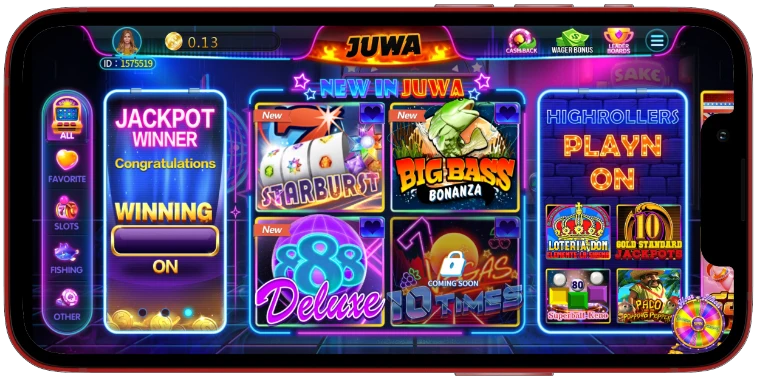
Juwa combines fish-table, card-style, reel, keno, and arcade formats in a mobile-focused lobby. Exact titles and categories can change when the provider updates its application. The current in-app catalog is therefore the authoritative game list.
Juwa Game Library
Fish-table games
Fish-table games use a targeting format in which players select a credit-per-shot value and aim at moving characters. Shared tables, larger targets, and bonus features can vary by title and provider release.
Card and reel games
The Juwa lobby also includes card-style and reel-based games with different themes, layouts, and feature sets. Every game uses the same connected provider-credit balance.
Keno and other formats
Keno and additional arcade formats give players alternatives to targeting and reel play. Review each game's rules and credit value before starting; no result is guaranteed.
How to Play Juwa on Mobile
Connect and fund your player account
Sign in to PLAYGAMES2026, open Platforms, and select Juwa. Create or connect the provider player, then transfer the amount you want from the PLAYGAMES2026 wallet or eligible Bonus Wallet into Juwa. The transfer screen shows both balances before confirmation.
Install and sign in
Open the official Juwa mobile download center, install the version offered for your device, and enter the case-sensitive username and password shown in Provider Access. The application then opens the connected Juwa lobby and its current game catalog.
Moving credits back
When eligible provider credits can be redeemed, return them through the Juwa transfer modal before requesting a PLAYGAMES2026 withdrawal. Do not attempt to send payment directly through the provider login screen.

Juwa Login — Access Your Account
Where to find your credentials
Your Juwa username, password, and official download link are available from PLAYGAMES2026 Provider Access after the player account is created. Copy both credentials exactly as displayed; capitalization and special characters matter.
Login troubleshooting
Before treating a failed login as an account problem, confirm every item below:
- The current Juwa application came from the official download center
- The username and password were entered exactly as issued
- No older session is active on another device
- The device network is stable and a VPN is not changing the session location
- The connected player is active in PLAYGAMES2026
Account recovery
If the credentials still fail, contact PLAYGAMES2026 Support from the registered account. Do not create an unrelated player directly on a third-party portal, because it will not be connected to your PLAYGAMES2026 wallet.

Juwa Download — Android and iPhone
Android download
Android users should open the official Juwa download center from their phone and follow the installation instructions displayed there. If Android requests permission to install the downloaded package, verify the domain first and grant permission only for that installation.
iPhone and iOS
iPhone and iPad users should open the same download center in Safari and use the iOS installation path currently supplied by Juwa. Availability and installation steps are controlled by the provider and can change without requiring a new PLAYGAMES2026 player account.
No supported web version
This PLAYGAMES2026 integration treats Juwa as a mobile provider. The Play action opens the official download/access center instead of launching an unsupported browser game.
Is Juwa Safe and Legit?
Player safety checklist
The supported Juwa path begins inside PLAYGAMES2026. Apply this checklist before installing an application or entering credentials:
- The download address is https://dl.juwa777.com/
- The credentials match those displayed in Provider Access
- The player account was created or connected through PLAYGAMES2026
- No payment-card or crypto details are requested on the Juwa login screen
- Support routes back to an official PLAYGAMES2026 channel
Responsible play
Juwa is offered for entertainment through provider credits. Set a credit budget and session-time limit before each visit, and stop when either is reached. Outcomes vary on every shot, hand, spin, or draw and are never guaranteed.